
Description
Last Z: Survivor Escape
Last Z: Survivors’ Escape – Multi-tiered game top-up. Please select the tier you need and double-check your information to avoid recharge failures.
About Last Z: Survivor Escape
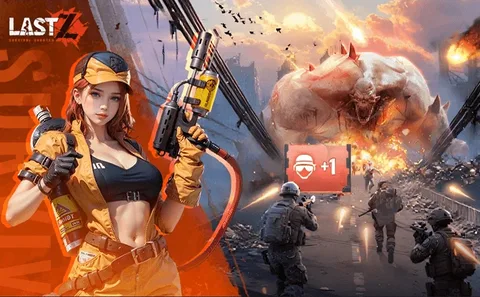
Last Z: Survival Shooter is a typical SLG game set in a post-apocalyptic world. In Last Z, you must constantly watch out for zombies and fight them in the apocalypse, build your shelter, upgrade your heroes, and scavenge for resources to help you survive. Last Z features zombie battles at various difficulty levels, challenging you to strategically assemble your team of heroes to win the game! You need to fully understand each hero’s abilities and develop a growth plan to strengthen your team.
How to top up Last Z: Survivor Escape points on Yoveya
Recharging points for your Last Z: Survivor Escape account only takes a moment. Please follow these simple steps to complete your purchase:
1. Select the desired point voucher package from the product options above.
2. In the corresponding input fields, enter your Palmon: Survival player name, Player ID, game account, recharge server, and login method.
3. Please confirm that your player information is accurate to ensure that your points are correctly credited to your account.
4. Click the Buy button to proceed to the checkout page.
5. Select your preferred payment method from the available options.
6. Complete the payment. Once confirmed, the game tokens will be sent directly to your in-game account.
Yoveya processes orders directly using your player ID; you do not need to provide your game password or any third-party account credentials.
How to find your Last Z: Survivor Escape player ID
1. Your player ID is a unique numeric identifier linked to your Last Z: Survivor Escape profile. This number must be used when completing a top-up on Yoveya.
2. Please follow these steps within the game client to find your ID:
3. Launch Last Z: Survivor Escape on your mobile device (iOS or Android).
4. Click the player avatar in the upper-left corner of the main interface to open the profile page.
5. Stay on the “Basic Information” tab.
6. To find your all-numeric player ID, look at the upper-right corner of your profile card.
7. Click the small copy icon next to the ID to copy the number directly to your device’s clipboard.
8. Before placing your order, paste the copied ID into Yoveya’s player ID input field.
Please be sure to enter your player ID as a string of digits only, not your in-game character name. Character nicknames may contain special characters or spaces, which can interfere with automatic V‑Coin top-ups.
Why choose to top up Last Z: Survivor Escape on Yoveya?
Yoveya is a global, professional, and secure gaming trading platform that offers services such as game top-ups, account trading, and item trading. Yoveya’s Last Z: Survivor Escape top-up service—faster deposits, higher security, and better prices than other sites!
In addition to Last Z: Survivor Escape’s top-up service, we also support many popular games, such as PUBG MOBILE, Brawl Stars, Arena of Valor, Frostborn, and TERA: The Next, among others. You can purchase the props you need here at discounted prices and participate in the platform’s occasional promotional events. More importantly, we offer 24/7 online customer support and accept multiple payment methods.
- Purchase limits
- The quantity purchased per SKU is subject to the configured range, and the actual purchasable quantity shall be determined by the server-side result at checkout.
- Delivery information
- After payment confirmation, the order will be processed according to the selected fulfillment method, and the progress will be tracked via the order timeline.
- Refund information
- Eligibility for refunds and the refund processing method are subject to the order status, product policies, and applicable agreements.
- Service guarantee
- Prices, inventory levels, payment status, and fulfillment status are all subject to the records maintained on the server.